The Choordinator Guide
A visual tour of every feature — what it does and where to find it. Looking for short answers instead? Try the FAQ.
support@choordinator.comJump to section
- Pricing
- Live Sessions
- Personal Library
- Bulk Import
- Setlists
- Band Workspaces
- Group Notes
- Transpose for the band
- Nashville numbers
- Section & Inline Highlighting
- Viewer screen boundaries
- Lyric Formatting
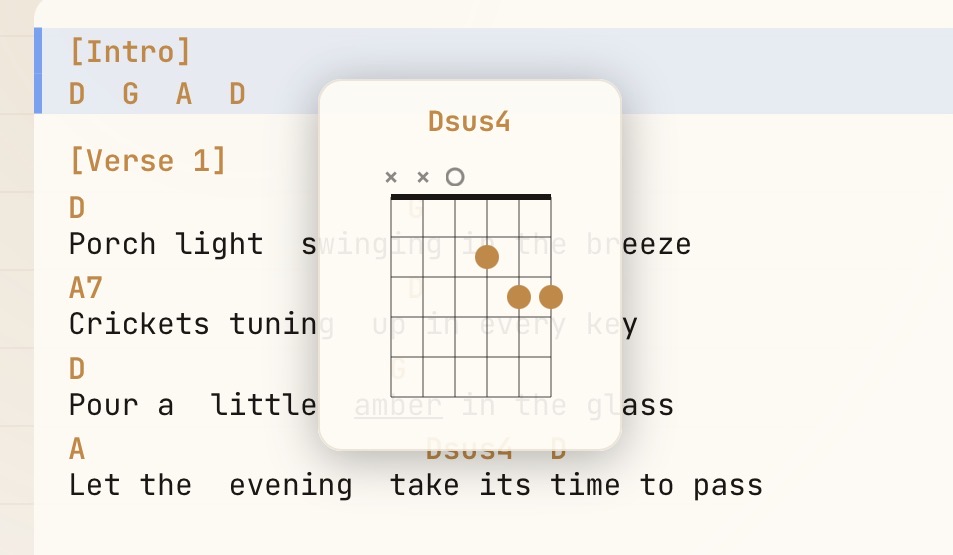
- Chord Diagrams
- Reading Comfort
- Hands-Free Control
- Tuner & Metronome
- History & Play Counts
- Privacy
- Trash & Recovery
- Send Feedback
Anyone can follow a session free; Pro is for the person leading.
Anyone can join a session by code — no account needed. With an account, your personal library, bulk imports, and practice mode are free. A Pro subscription unlocks leading live sessions and creating bands. New accounts get 30 days of Pro included.
- Join any session by code (no account needed)
- Unlimited personal library
- Bulk imports from PDF, DOCX, or paste
- Practice mode + tuner + metronome
- Color-coordinated highlights
- Foot-pedal support
- Per-user transpose
- Join bands as a member
New accounts get 30 days of Pro on us. Everything you build stays yours on Free.
- Unlimited personal library
- Bulk imports from PDF, DOCX, or paste
- Practice mode + tuner + metronome
- Color-coordinated highlights
- Foot-pedal support
- Per-user transpose
- Join any session with a code
- Join bands as a member
- Plus everything Pro adds
- Lead live sessions — broadcast charts to multiple devices
- Create and lead bands with shared libraries
- Shared band notes and highlights
- Up to 25 live viewers per session
- Band analytics for the bands you lead
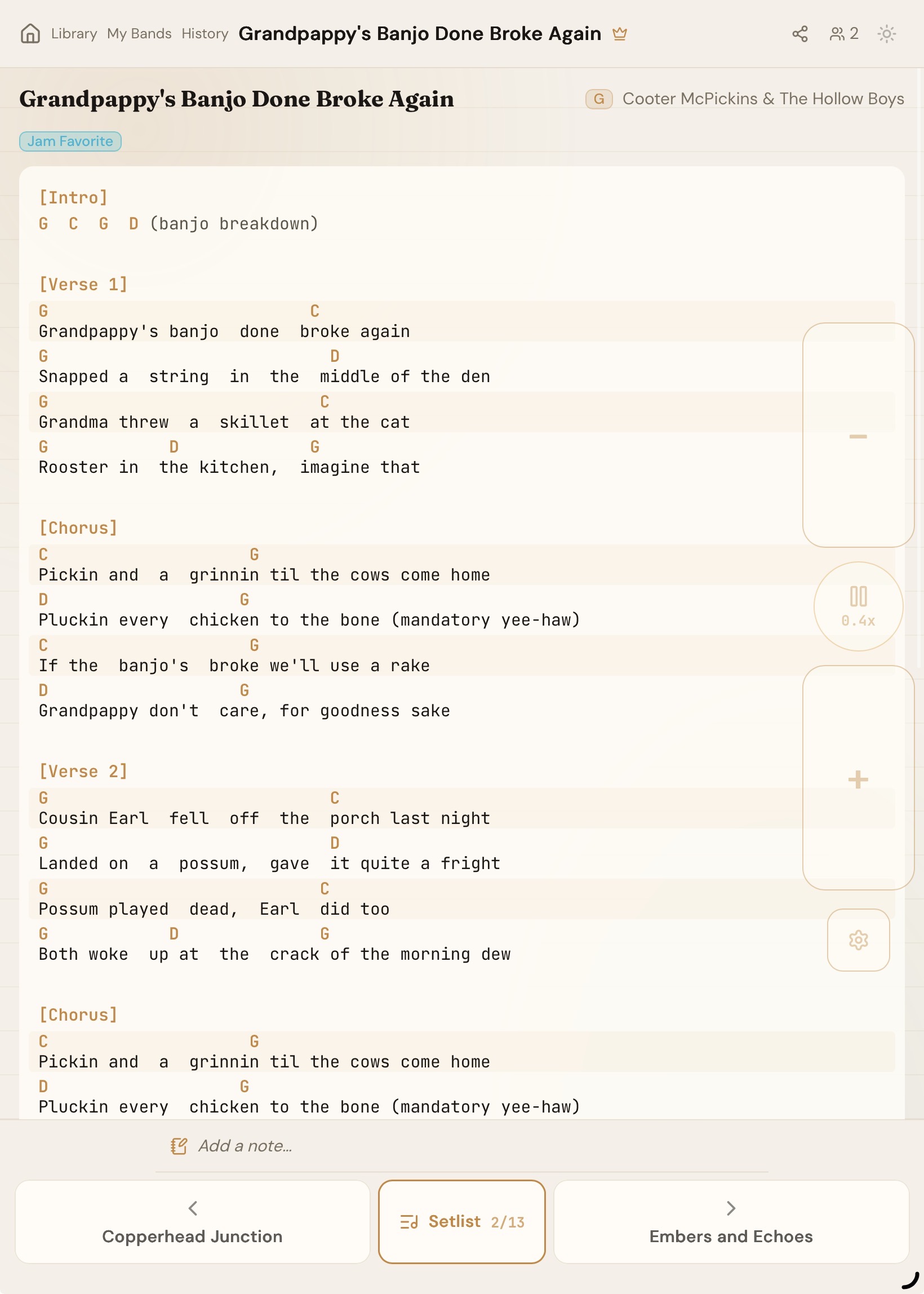
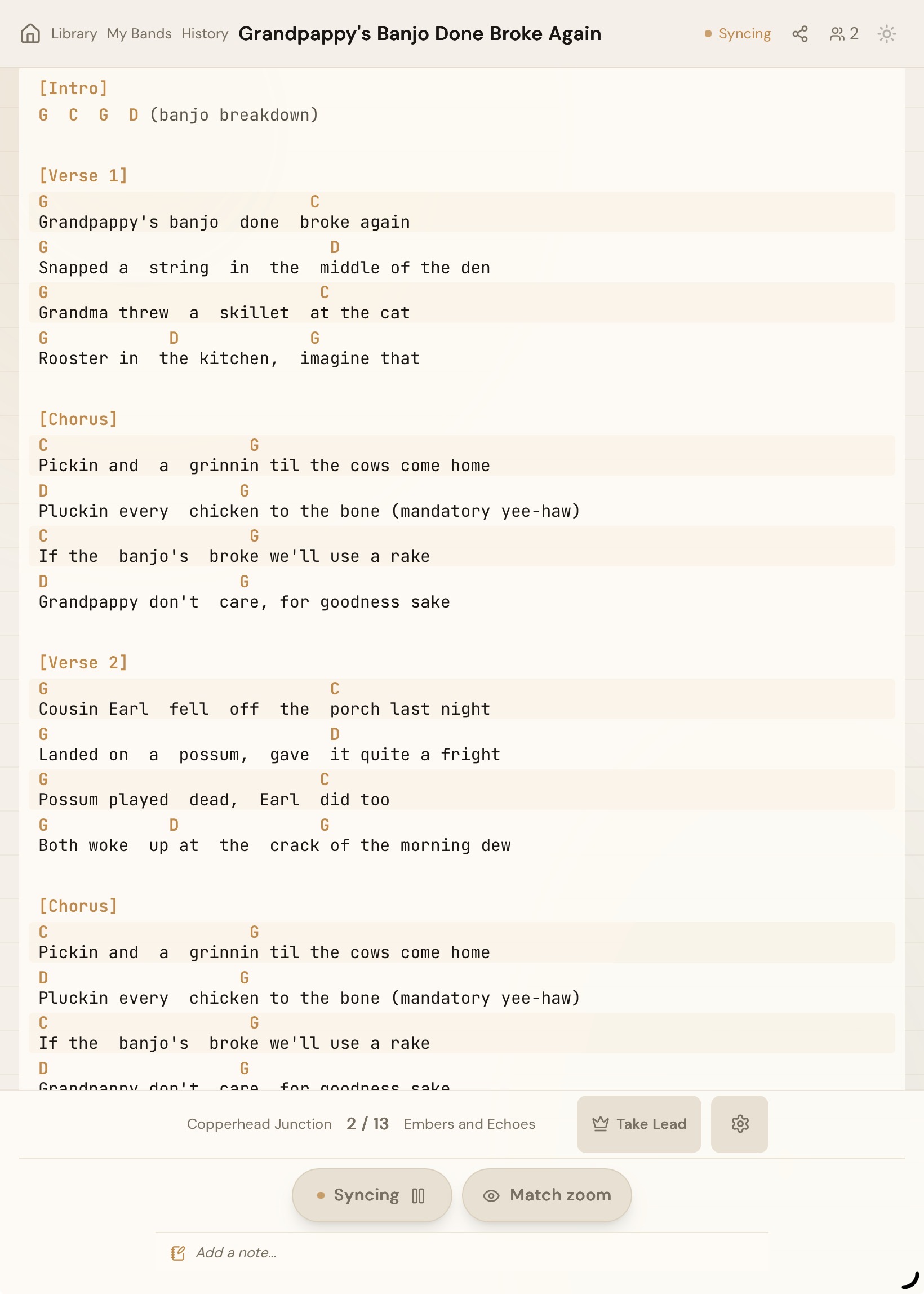
Everyone sees the same chart at the same time.
- Memorable music-themed session codes
- Leader controls song + scroll; viewers follow automatically
- Take-lead handoff for switching MCs mid-set
- Works for guests with no account
- Tap Start session on the home page, or enter a code to join
- No WiFi at the venue? Share a phone's Personal Hotspot. Every tablet on it can follow along.
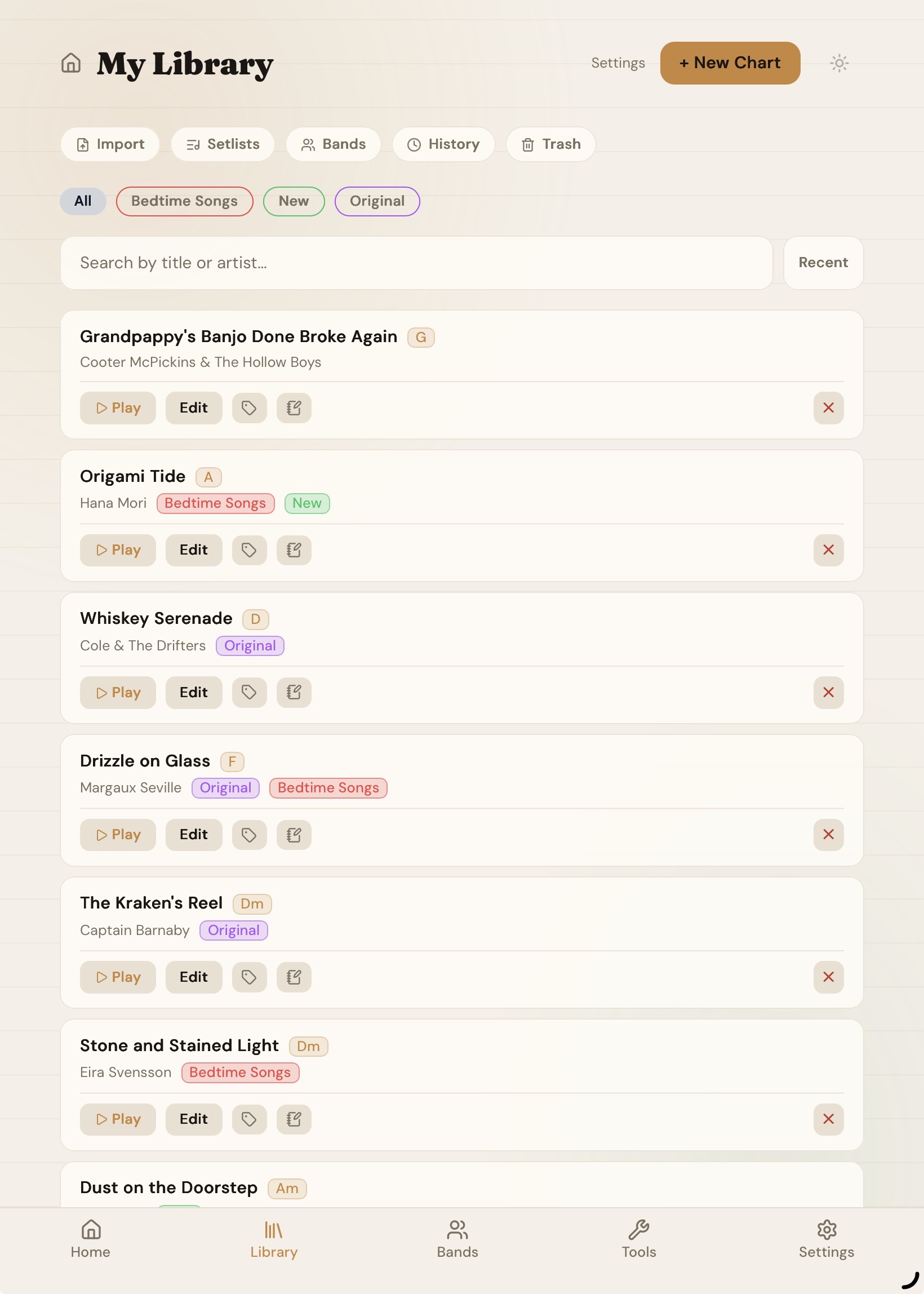
A private library you control.
- Create, edit, and tag charts
- Auto-detect title and artist on paste
- Duplicate-song warnings
- Automatic key detection on every chart
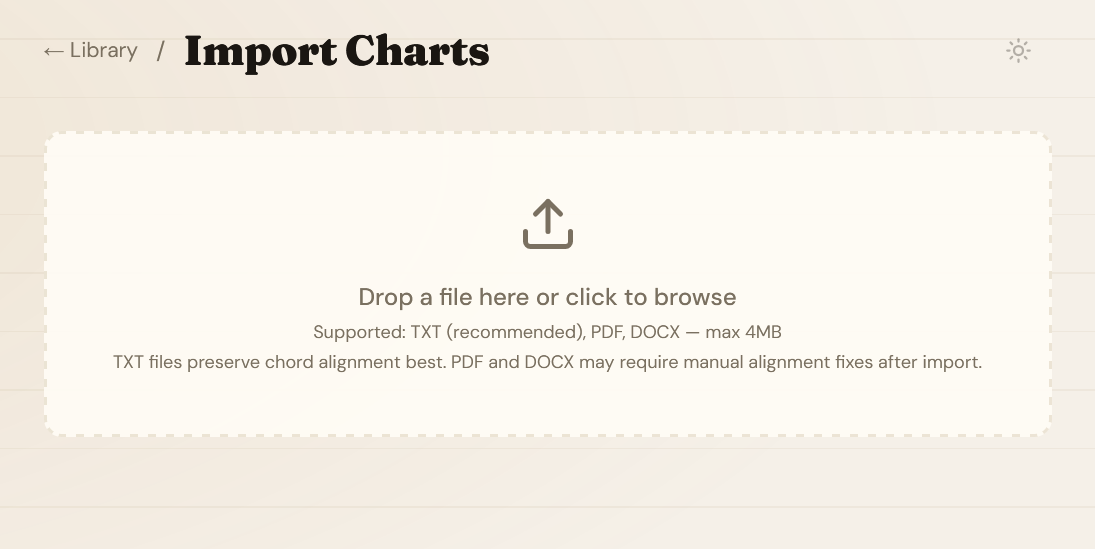
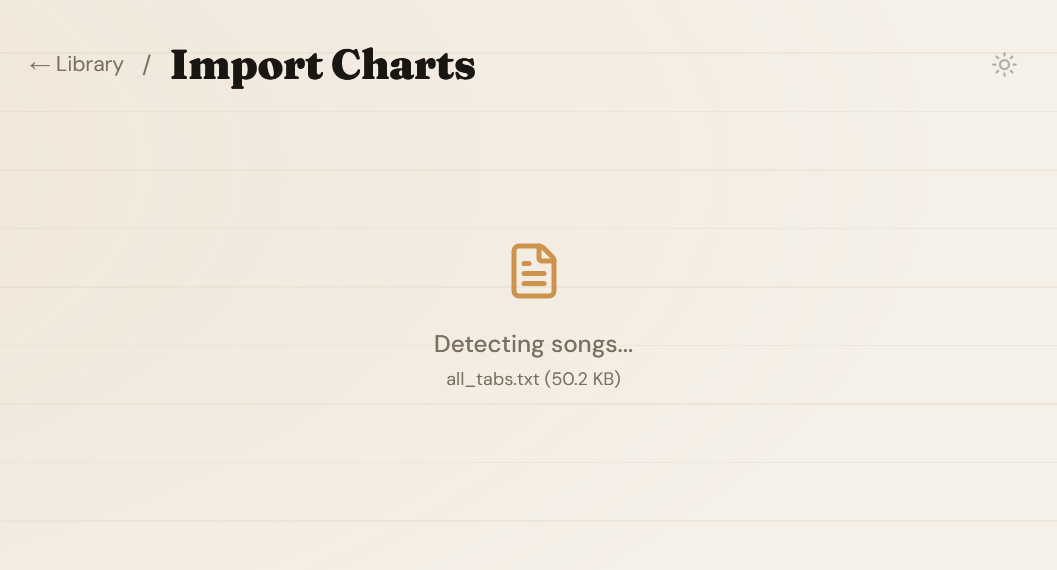
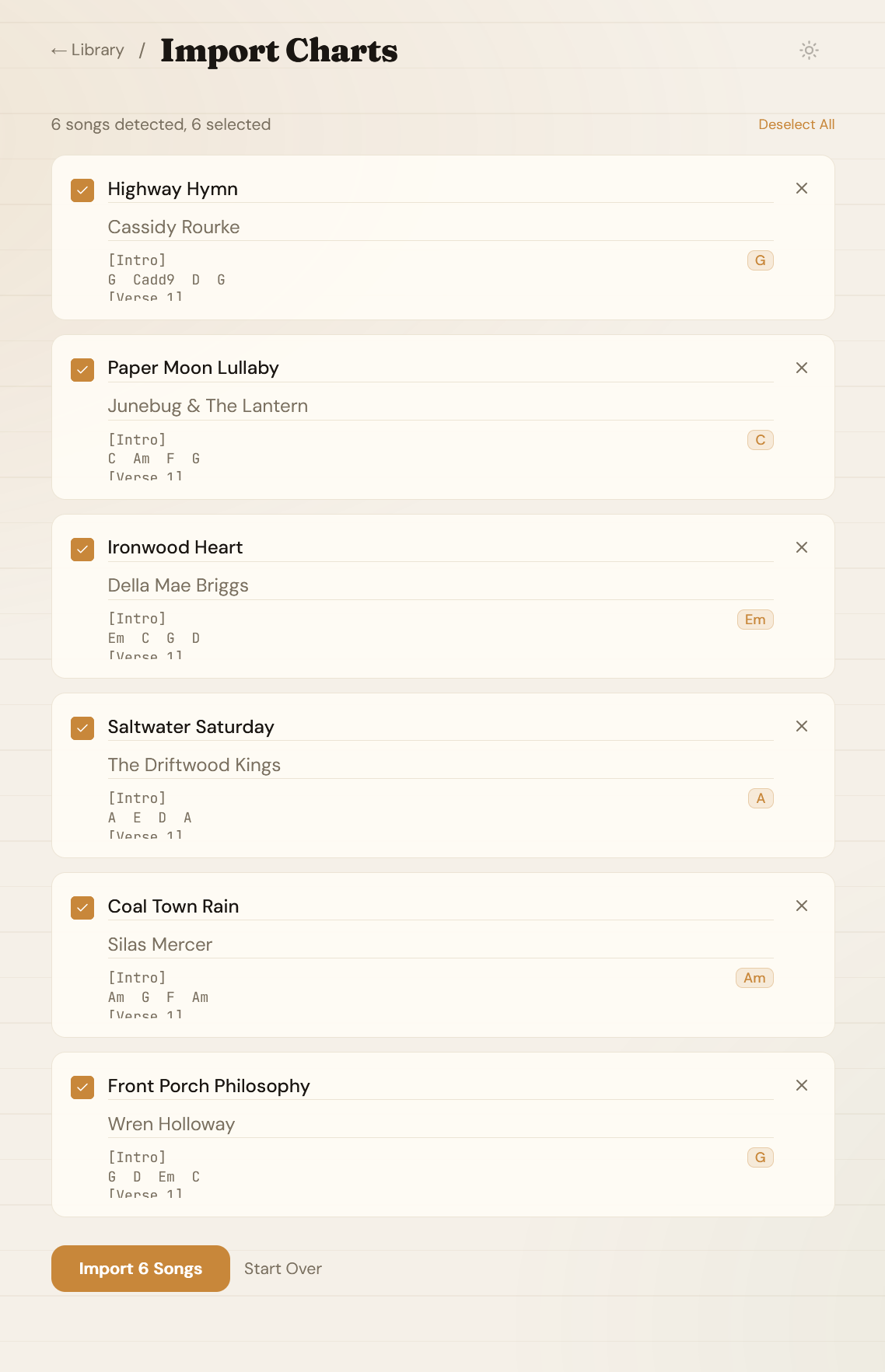
Import your songbook.
- PDF, DOCX, and TXT supported
- Multi-song documents split into individual charts
- Chord alignment preserved automatically
- Go to Library → Import to get started
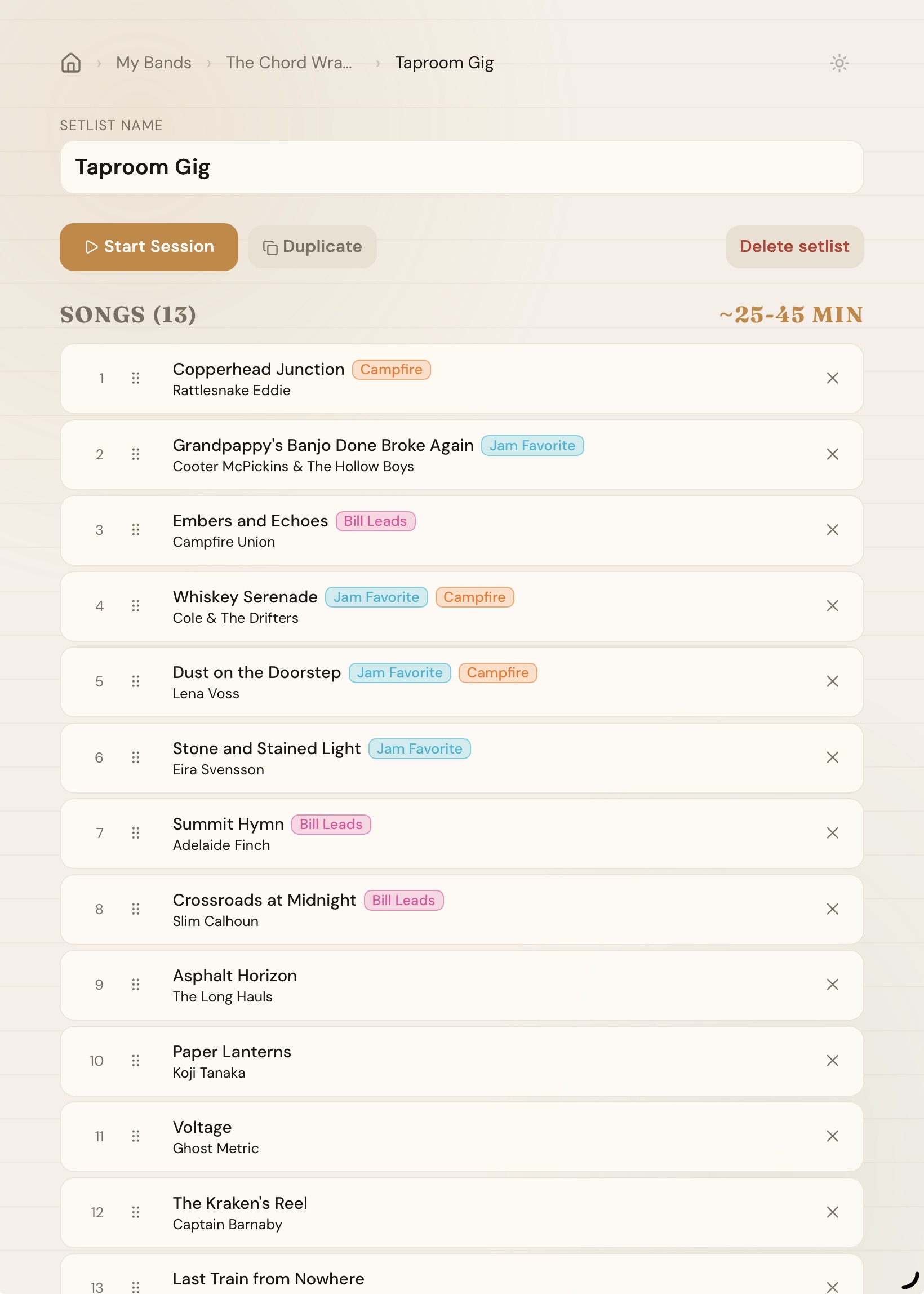
Build a set, run a gig.
- Drag-and-drop reordering
- Estimated total duration
- Launch a session directly from a setlist
- Tap + New Setlist and search your library to add songs
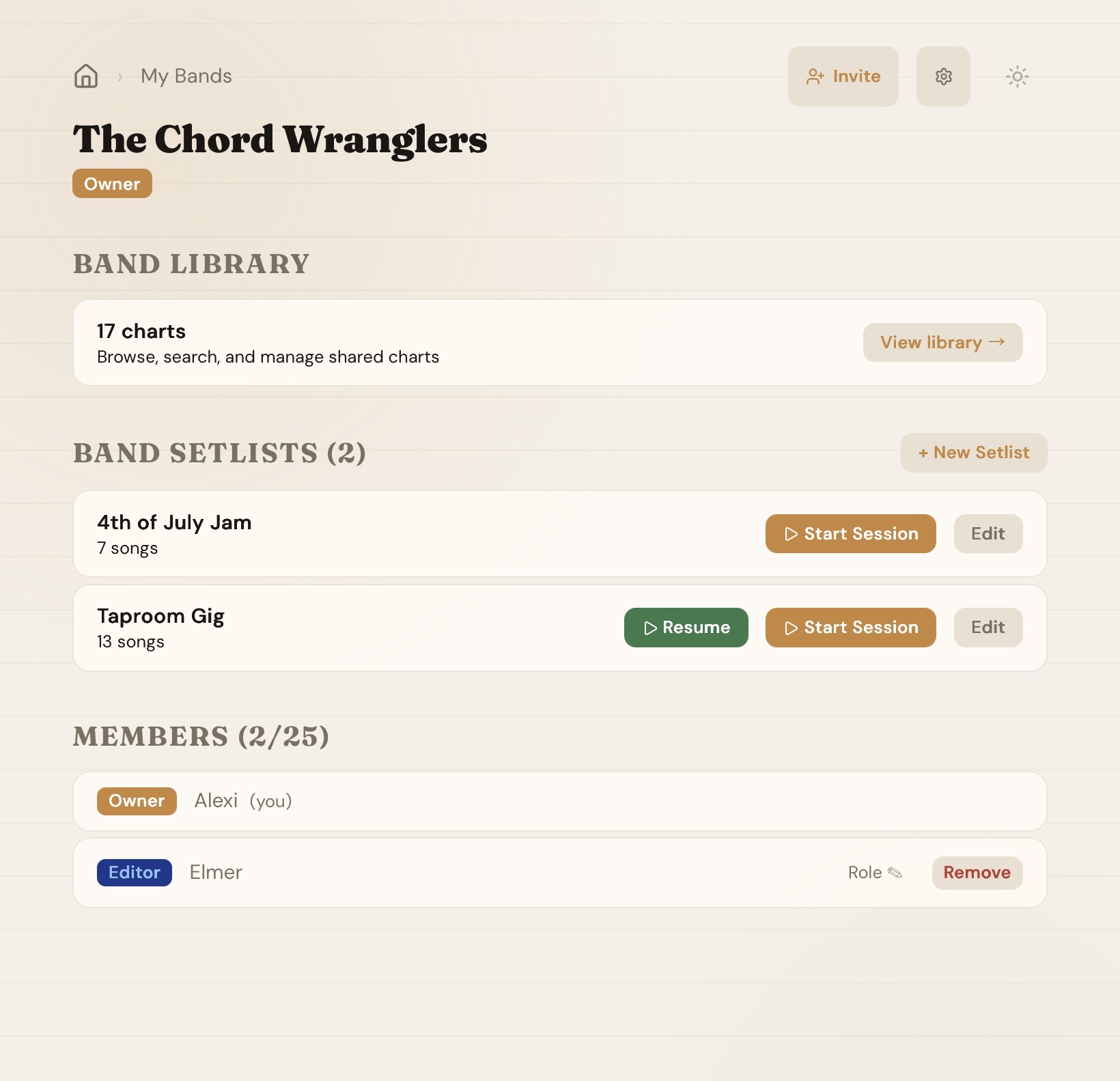
A shared space for your group.
- Shared library + setlists
- Owner / Editor / Member roles
- Invite by code
- Any member can start a session
- Create a band from the Bands page, then share the invite code
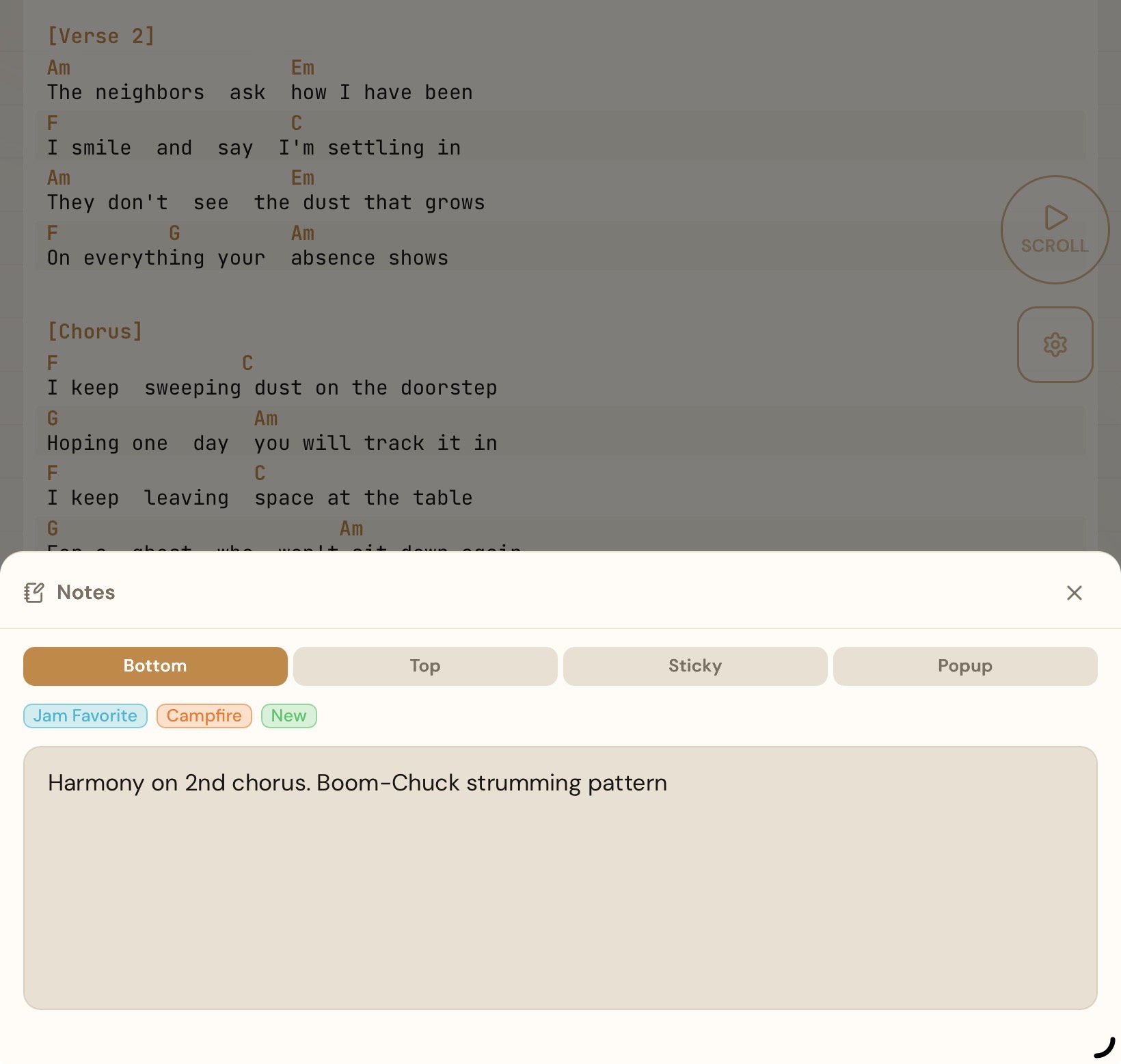
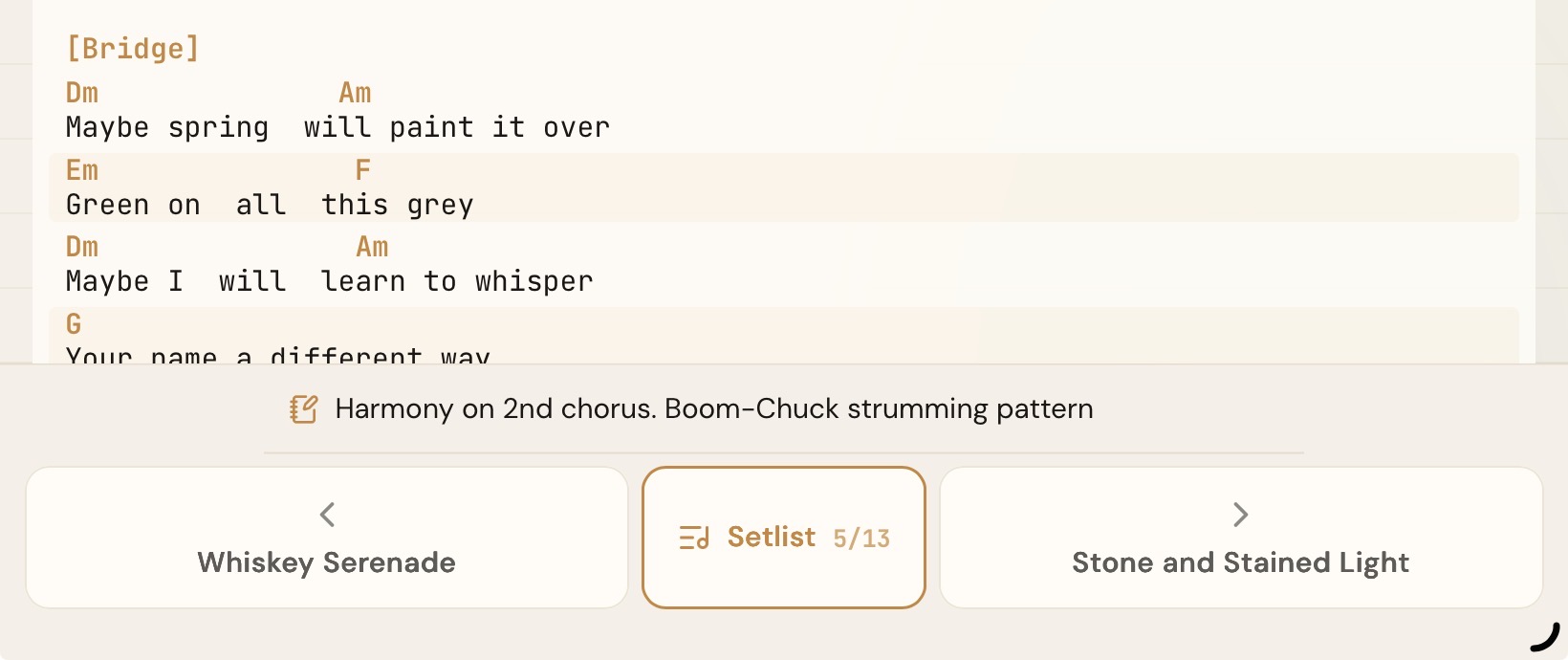
Your cues, your band's arrangements.
- Band-shared notes visible to all members
- Your own note per song per band
- Band lead can write notes for specific members
- Saved scroll speed and start delay
Every player reads it in their own key.
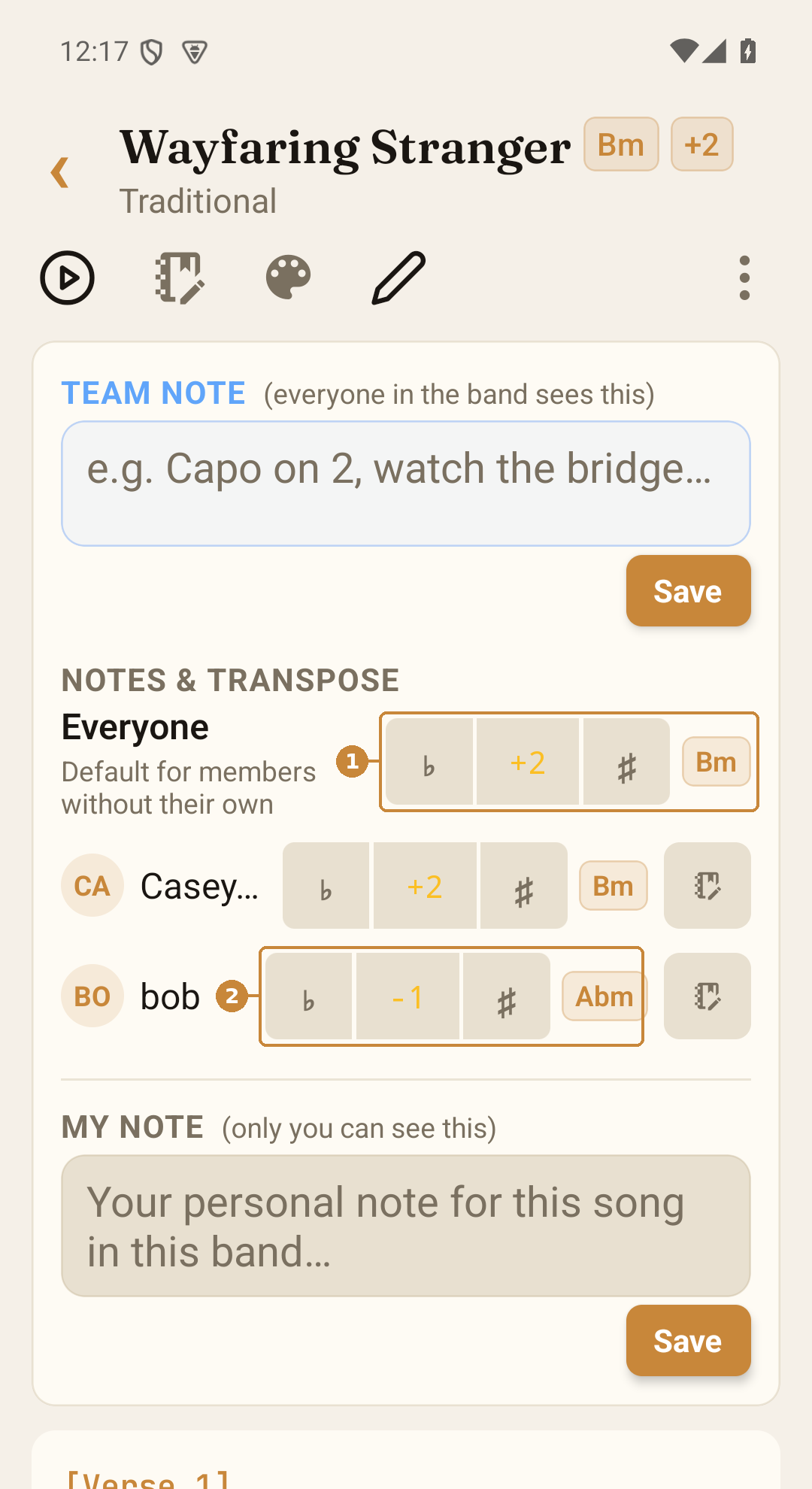
Every band member can read a chart in their own key, no retyping required. An editor picks one key for the whole band, and any member can set their own instead. Handy when your singer wants it a step down but the rest of the band is happy where it is.
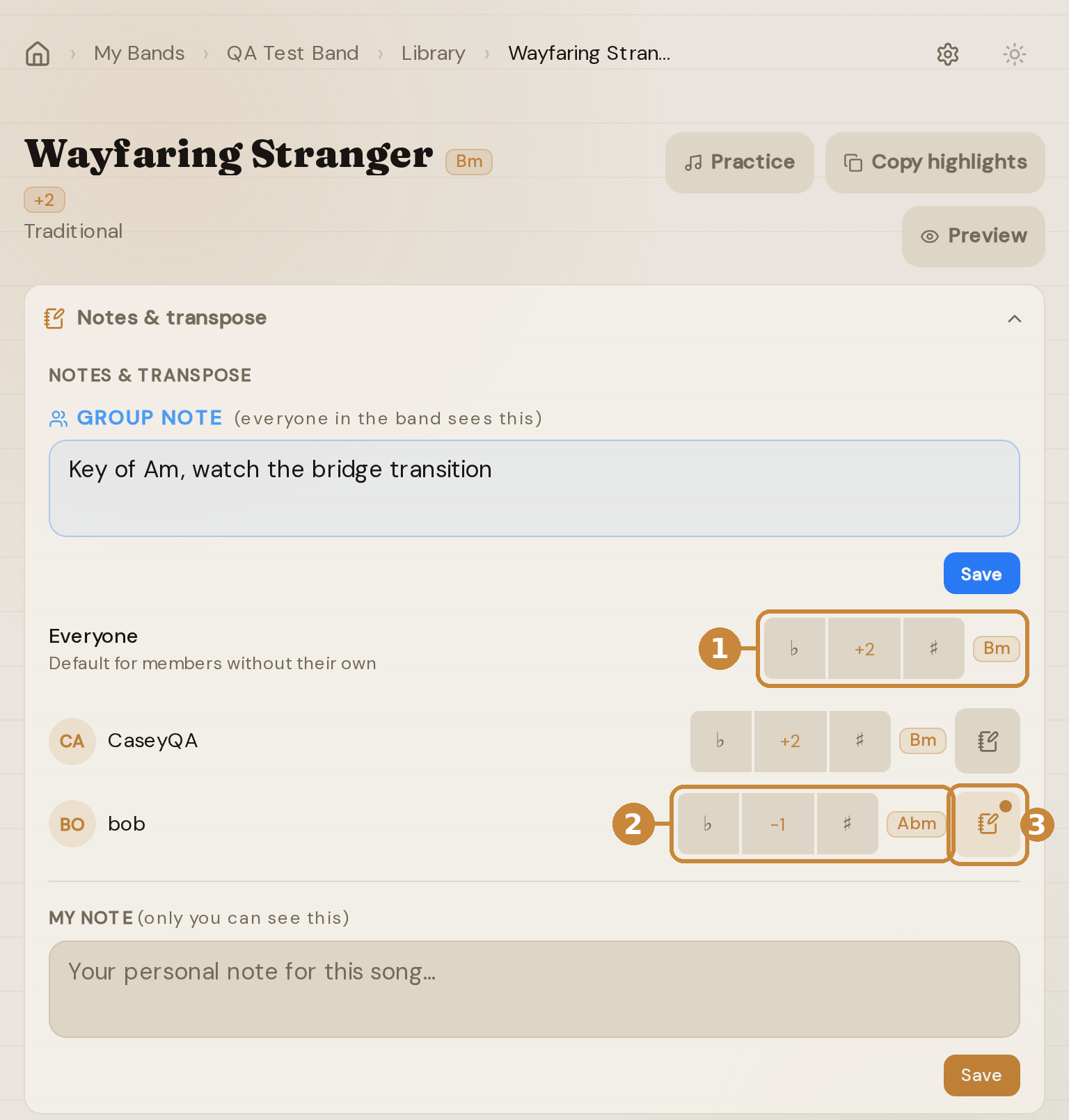
- Set Everyone to pick the band's key for the song. It's the default every member reads until they choose their own.
- Give one member a different key. Their value replaces Everyone's for them; nothing adds up.
- Tap the note icon to leave that member a note. It shows up for them as a note from the band lead.
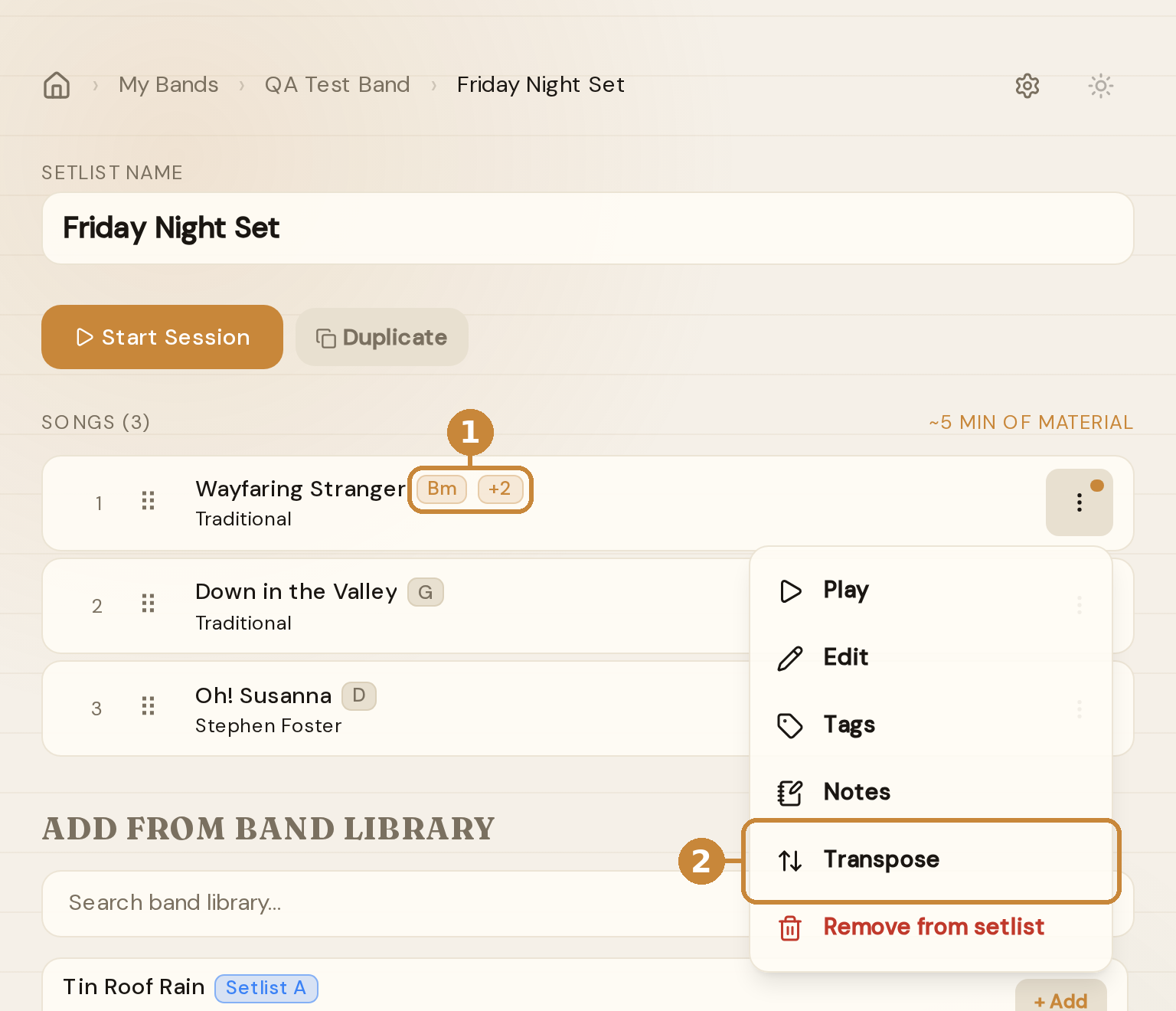
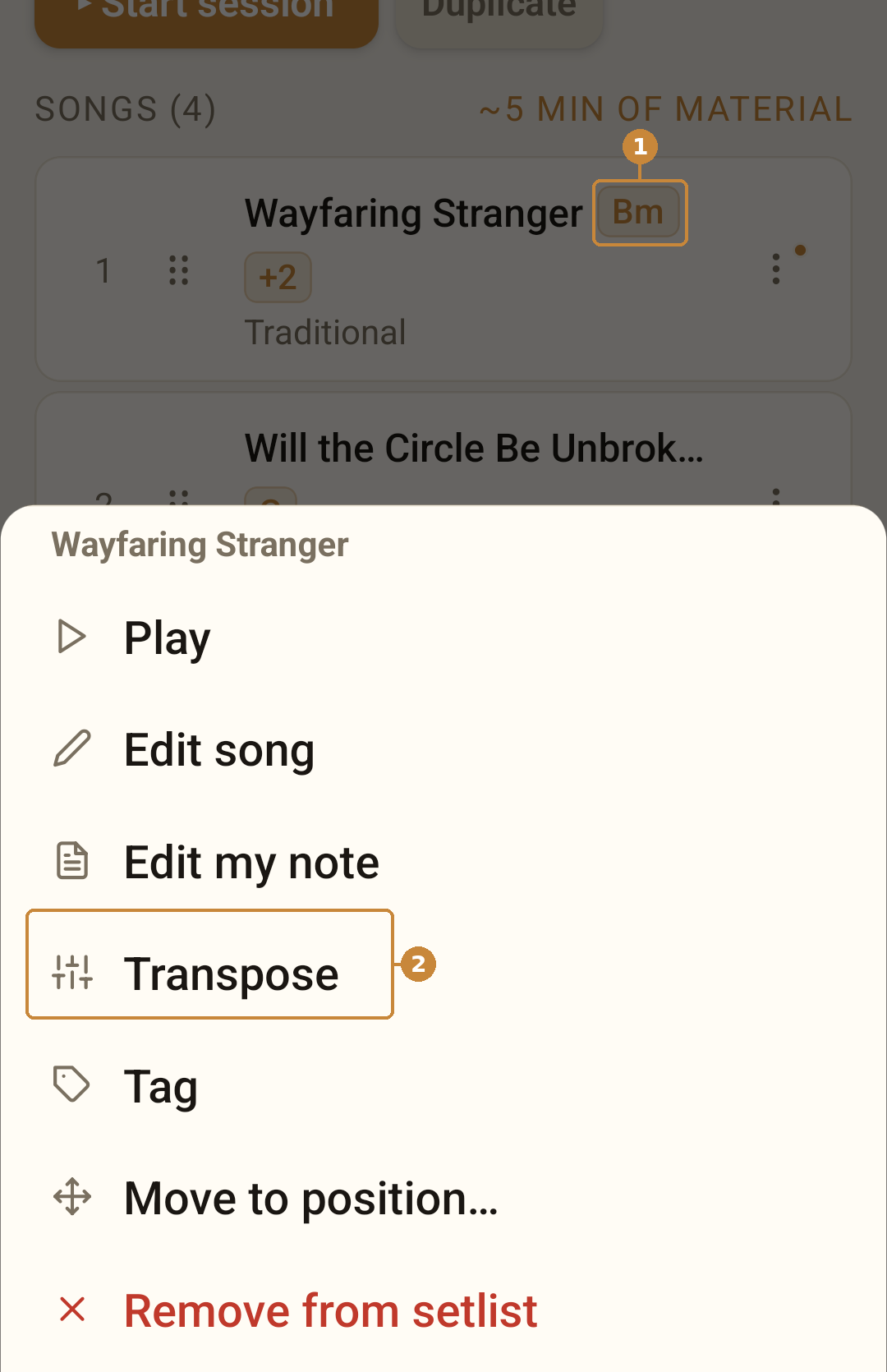
- A transposed song shows the key you'll read in and the shift right on the card, in the library or any setlist. Each member sees their own.
- Tap ⋮ on a card and choose Transpose to jump straight to those rows, right there in the setlist. No need to open the song and come back.
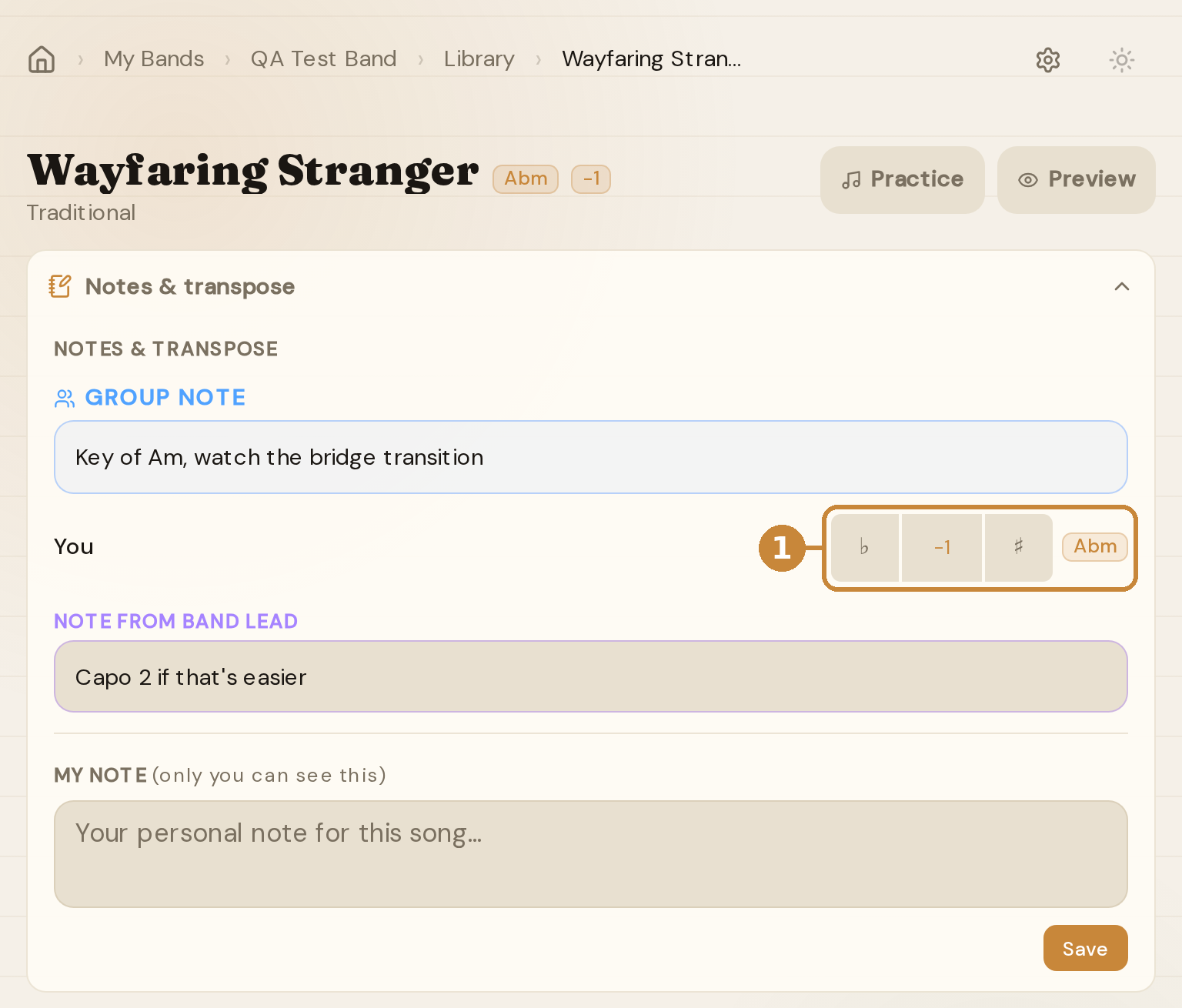
- Members set their own key with the same stepper editors get. Until you touch it, it follows the band's Everyone value.
- Set it once and it sticks: on the song page, in practice, and in every session with this band.
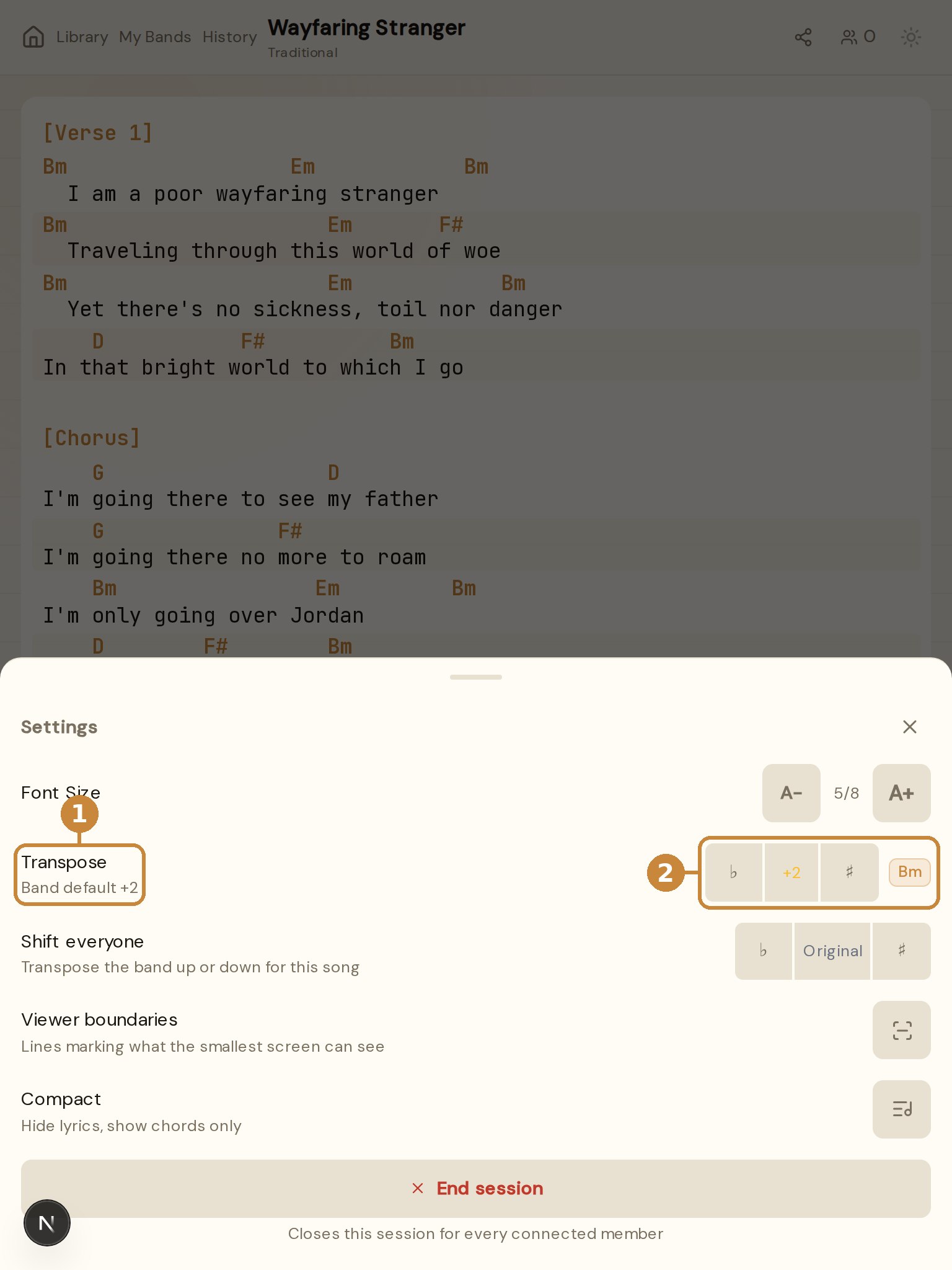
- In a live session, the settings sheet shows the band's default right under Transpose.
- Nudge the stepper to set your own key for the song. It saves to your band row, so it's still there next week.
Good to know
- Your own value replaces the band's Everyone value. The two never add up.
- The leader's “Shift everyone” during a live session is separate and temporary. It clears when the song changes.
- Editors can set Everyone's key or any member's. Every member can set their own.
Works the same on the phone.
Read any chart as 1, 4, 5 in every key.
Chords can read as numbers instead of letters. In a session or in practice, open the settings sheet and switch Chord names to Numbers: every chord label becomes its number in the song's key, so G, C, D in G reads 1, 4, 5, and so does the same song in A. The chart itself stays as written, which keeps every lyric exactly under its chord.
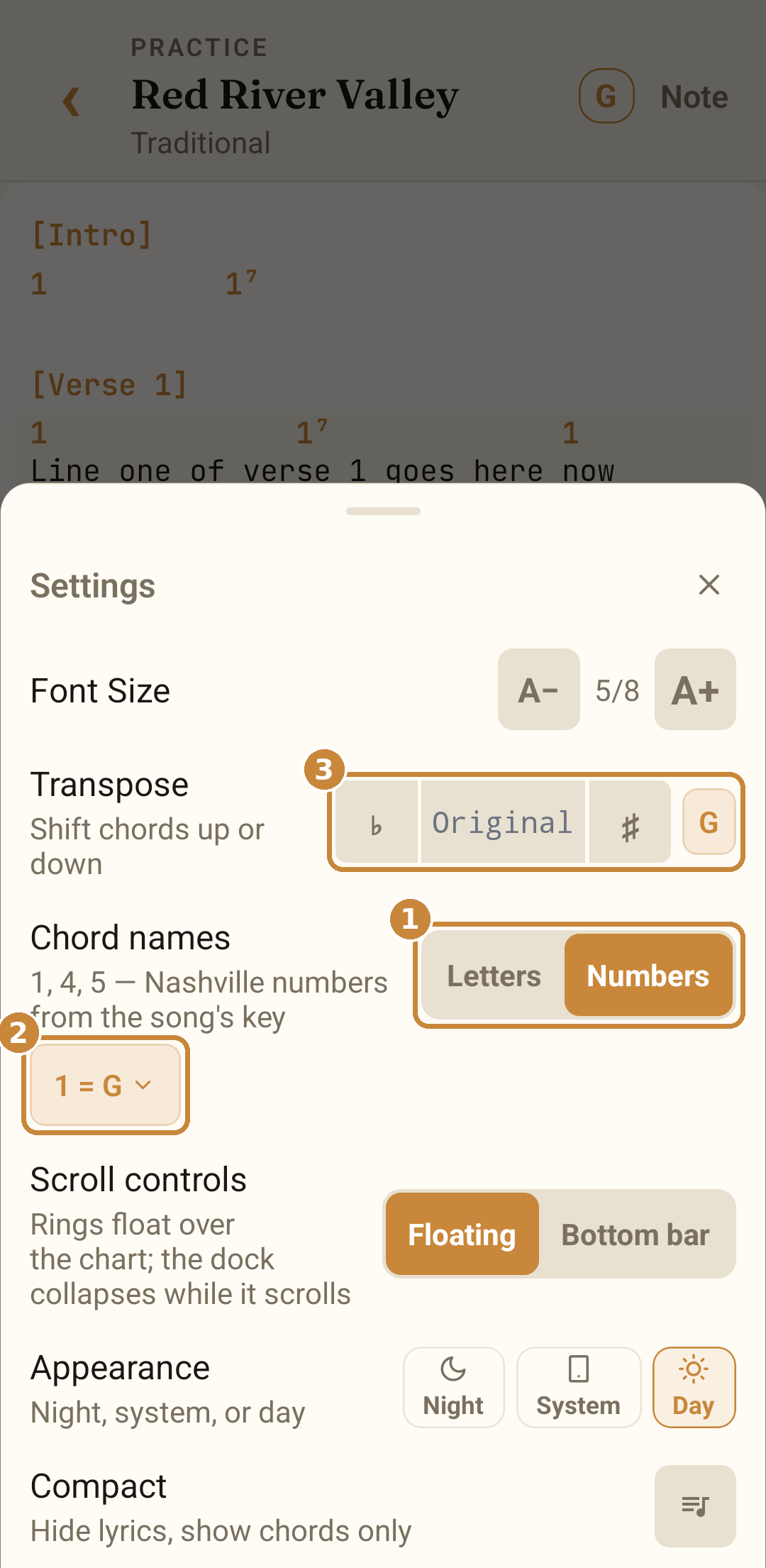
- Chord names: Letters or Numbers. It sits right under Transpose, in the session sheet and the practice sheet alike, and Settings has the same switch.
- The chip shows which note counts as 1. We read it from the chart, so a song in G shows 1 = G.
- Transpose moves the key, not the numbers. Step up two and the chip reads 1 = A while every 1, 4 and 5 stays put.
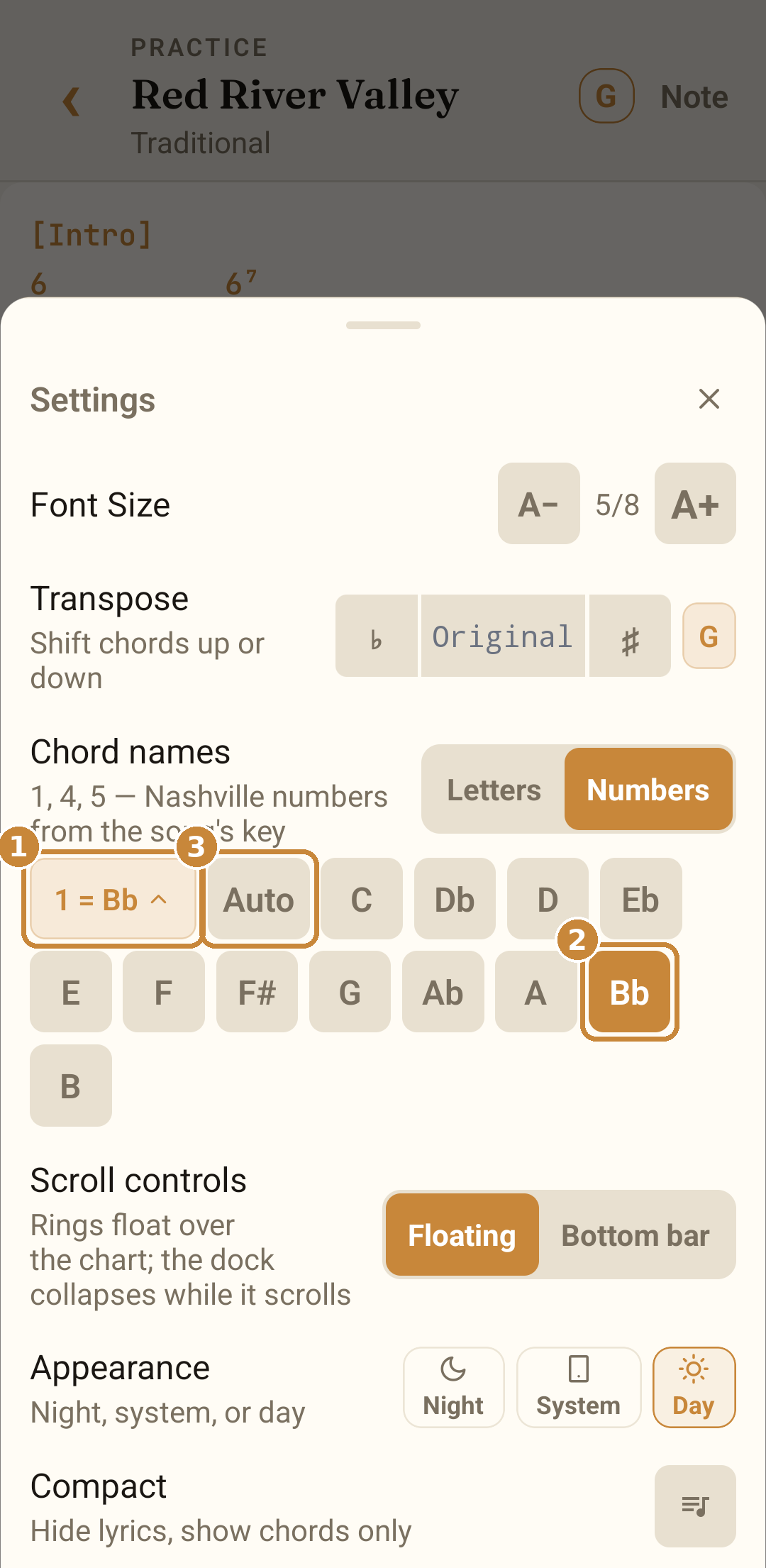
- Tap the chip when we've read a chart's key differently than you would. It opens the picker, and once you choose, the chip and the whole chart follow: here the chart is read with 1 = Bb, so its G chords read 6.
- The twelve roots. The one in use is highlighted; tap another to renumber the chart at once.
- Auto goes back to the song's own key. Your pick is remembered for that song on this device.
Good to know
- Minor chords read with a dash (6-); sevenths and the rest keep their suffix (57). Slash chords keep their bass (1/3).
- A minor key counts from its own note: a song in Dm shows 1 = D, Dm reads 1-, and its F, Bb and C read b3, b6, b7. Prefer the relative-major reading? Pick F in the picker and Dm becomes 6-.
- Tap a number to see its chord diagram, the same as a letter.
- Saved on each device, and letters are the default. A shared chart is never changed by it.
Color-code parts so nobody misses a cue.
- Tap to color section headers
- Tap inline parenthetical hints to highlight cues
- Eight colors with day + night variants
- Shared across the whole band session
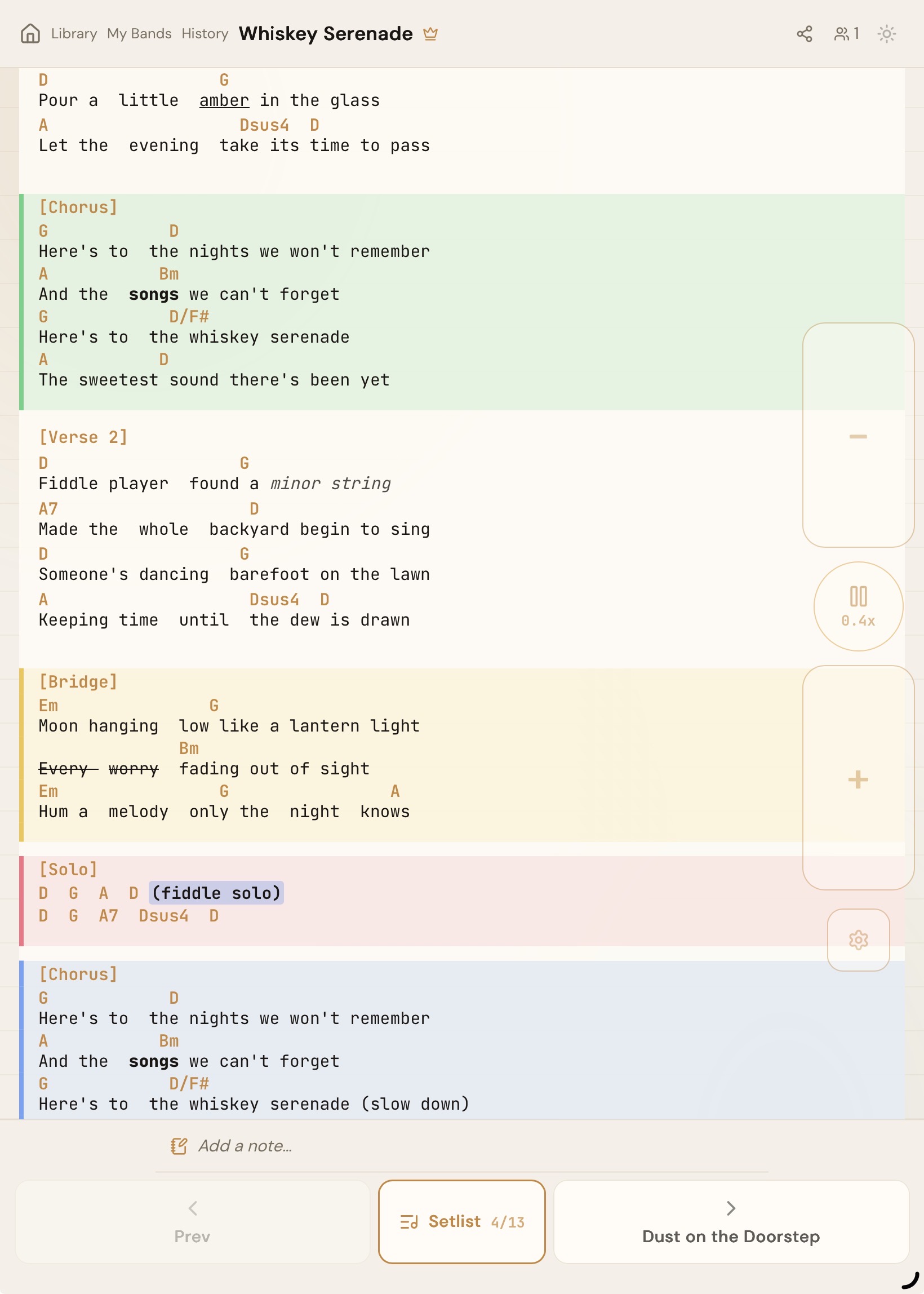
See what the most-constrained viewer can see.
- Turn it on in Settings (leader-only, off by default)
- The lines track the smallest screen, including landscape phones
- Keep the current lyrics between the lines so no one's left behind
- Updates live as people join, leave, or rotate their phone
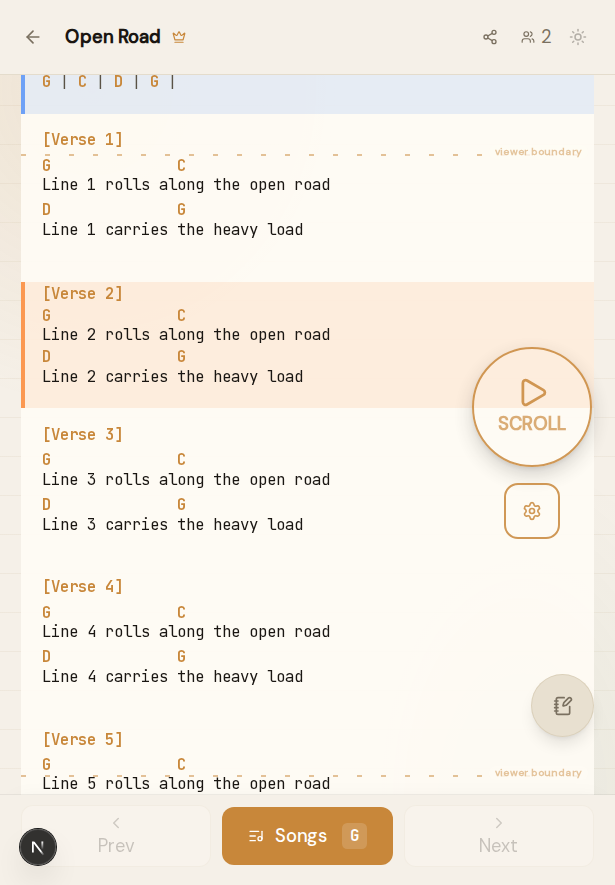
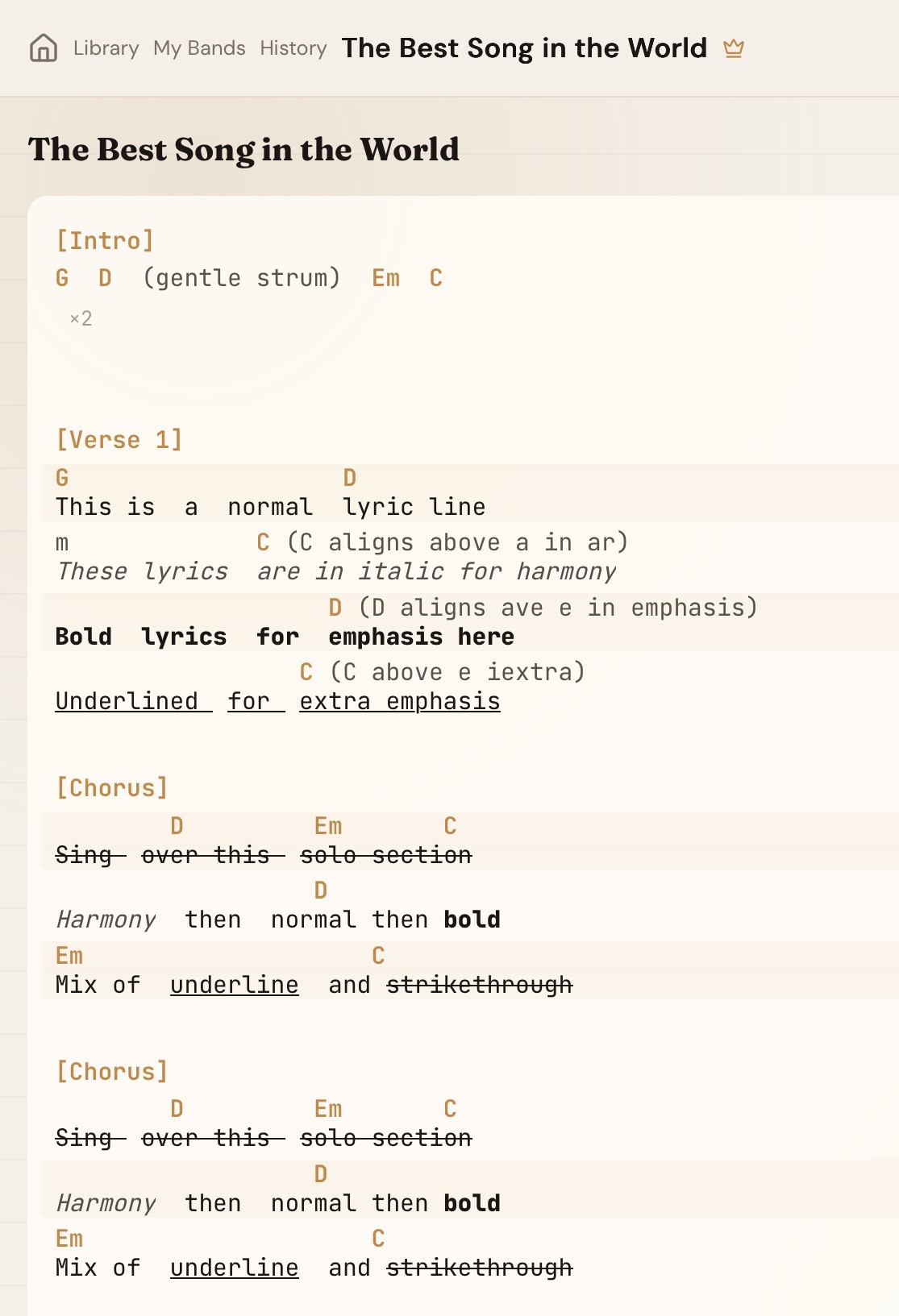
Style lyrics without breaking alignment.
- *italic*, **bold**, __underline__, ~~strikethrough~~
- Alignment stays exact
- Works in personal and band charts
Tap any chord to see how to play it.
Make every chart easy to read on stage.
- Adjustable font sizes + pinch-to-zoom
- Compact mode (chords only)
- Day and night themes
- Open the settings gear in the session toolbar to adjust
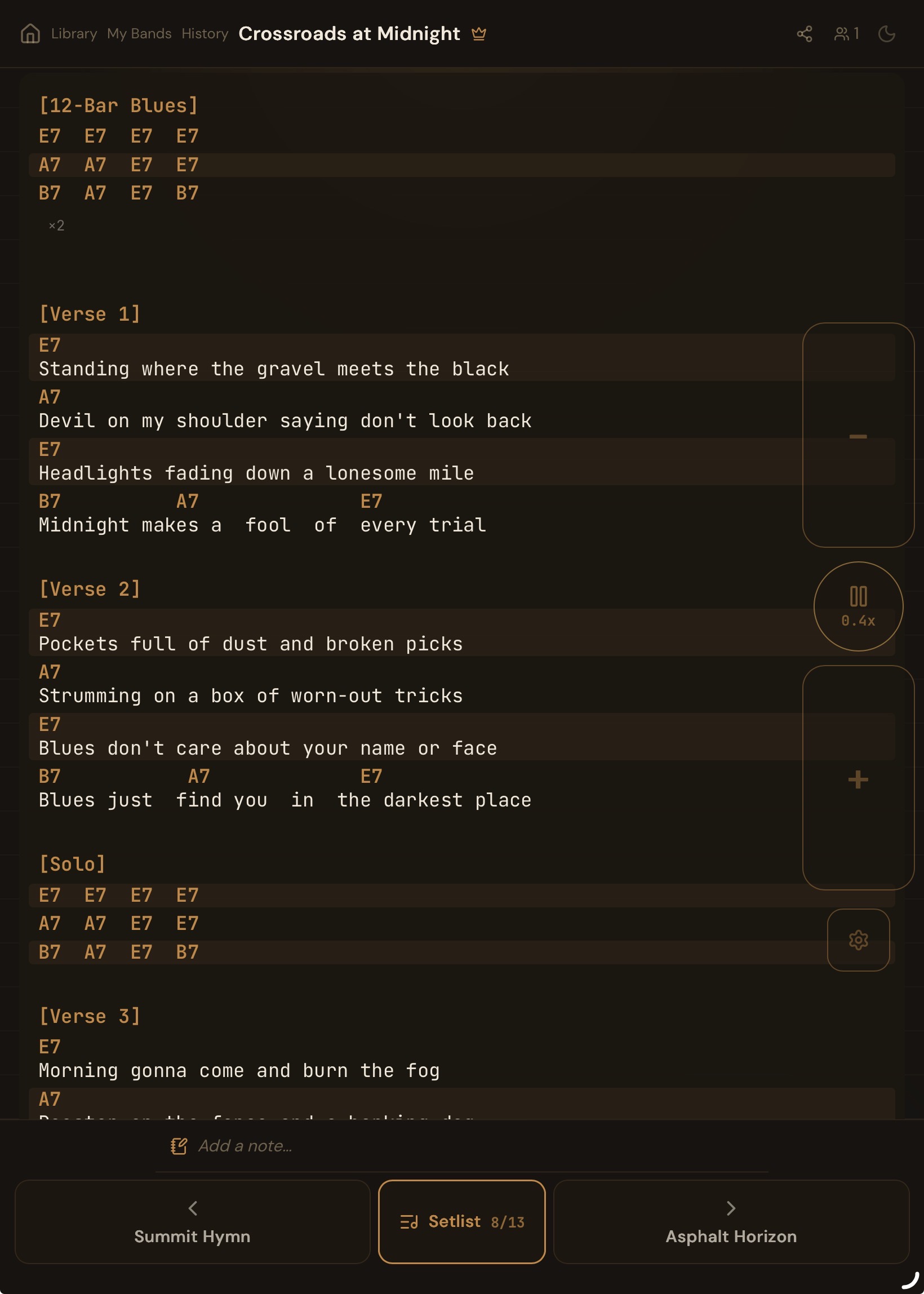
Scroll without taking a hand off the instrument.
- Set your pedal to arrow key mode (ArrowUp / ArrowDown)
- Pair the pedal in your device Bluetooth settings first
- Works on phones, tablets, and desktops
- Viewers can use pedals to scroll independently
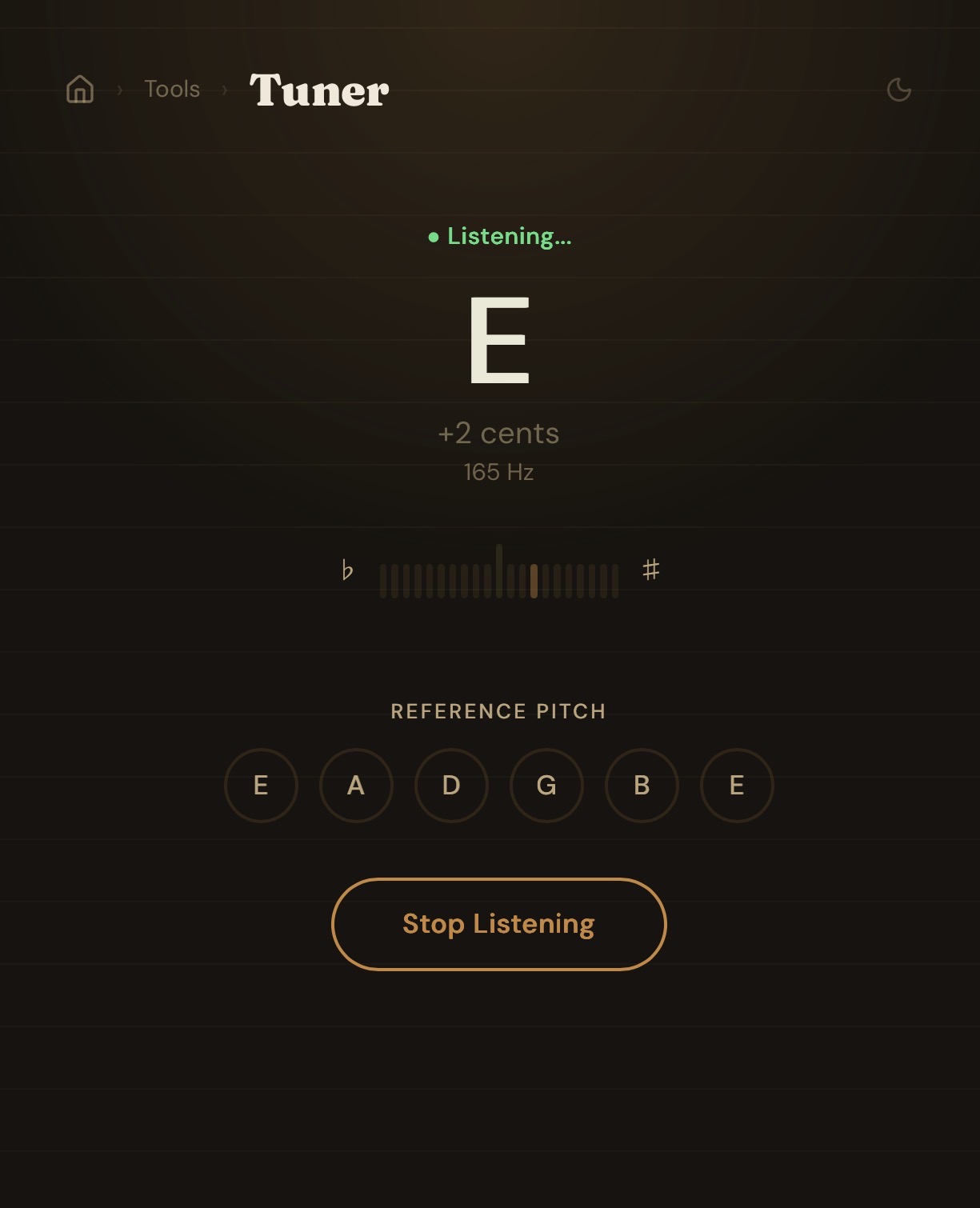
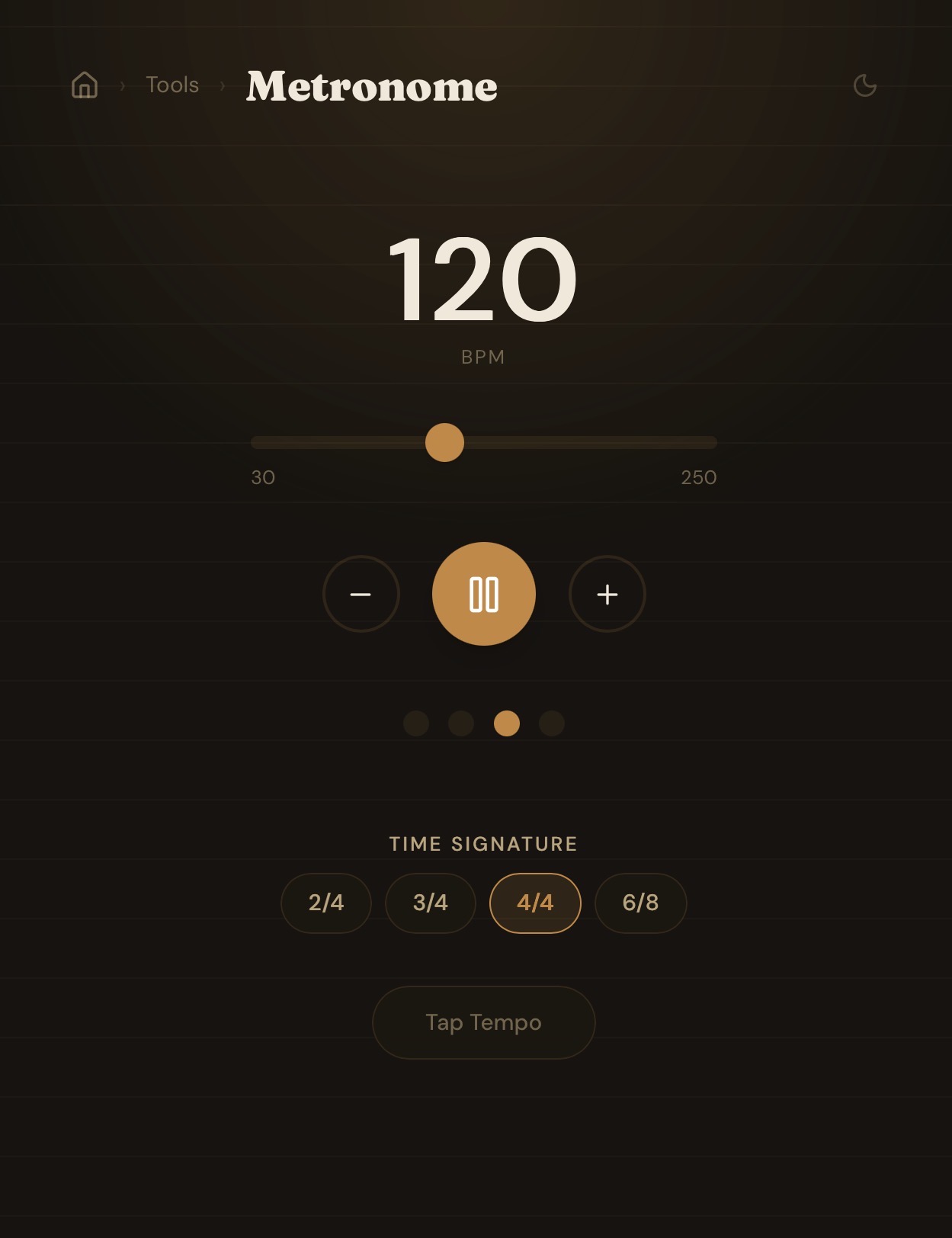
The basics, built right in.
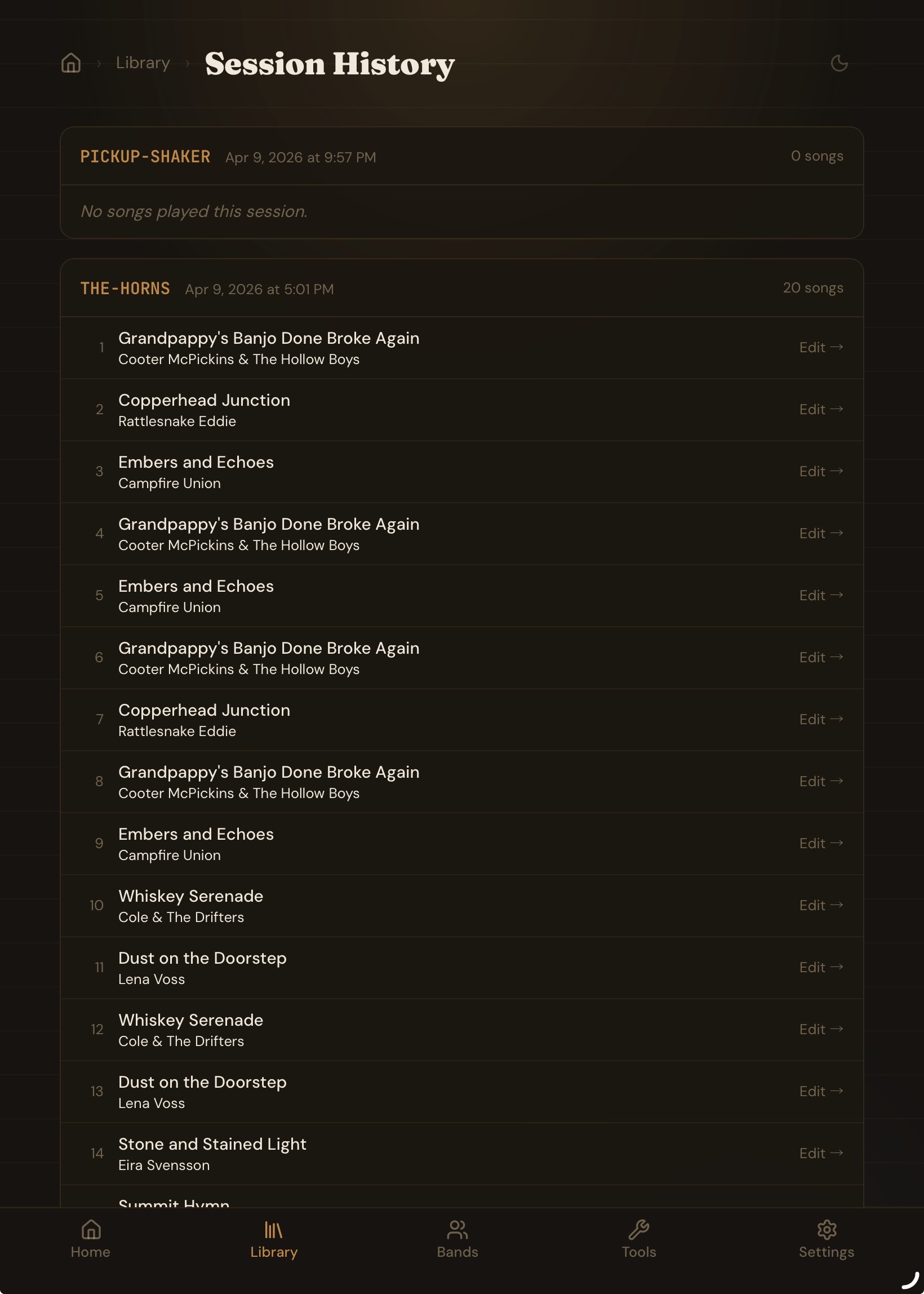
See what you've been playing.
- Session logs with played-song lists
- Play counts per chart
- Visit Library → History to browse past sessions
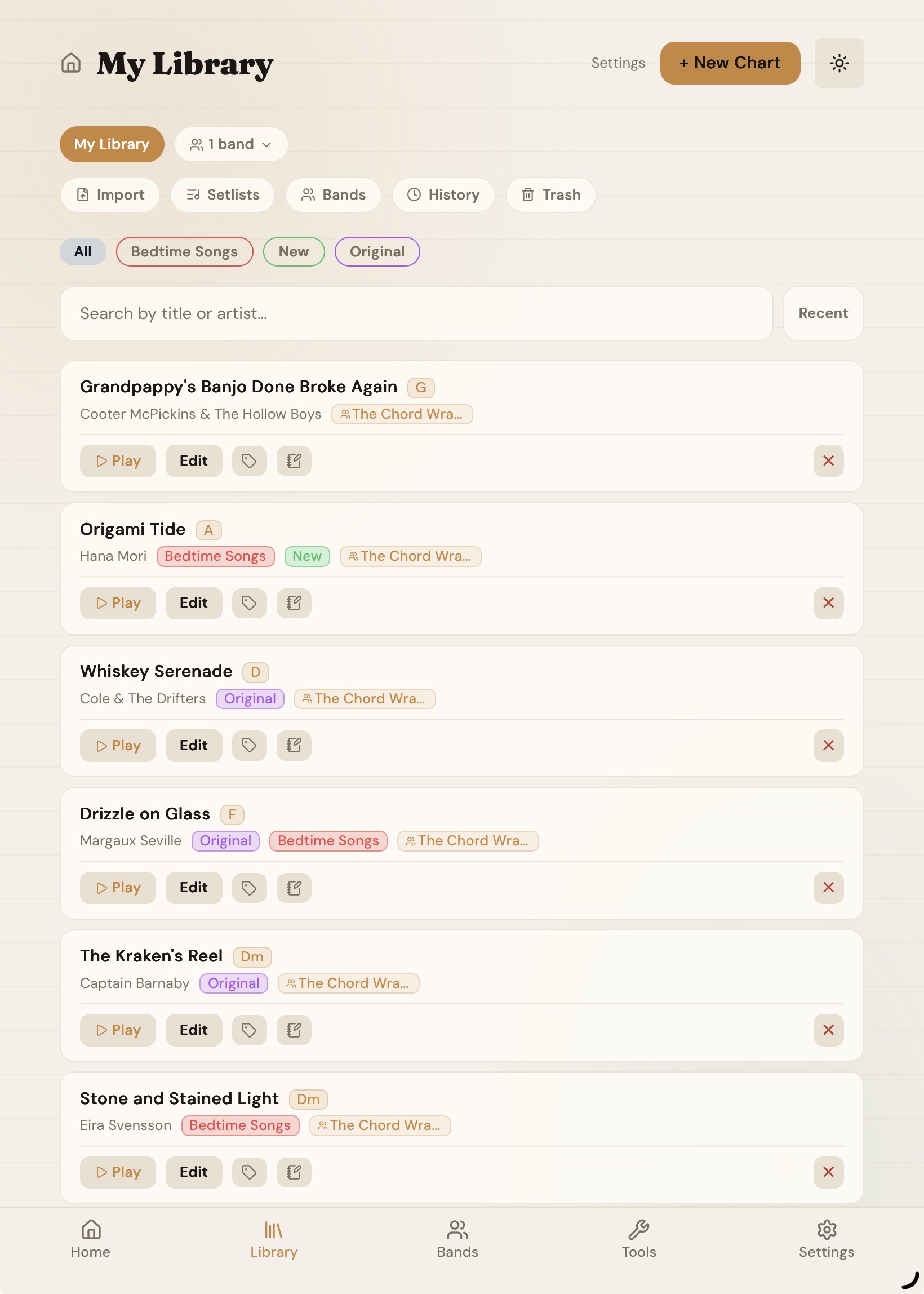
Your library is yours.
- Personal library is private by default
- Band workspaces are the way to collaborate with a group
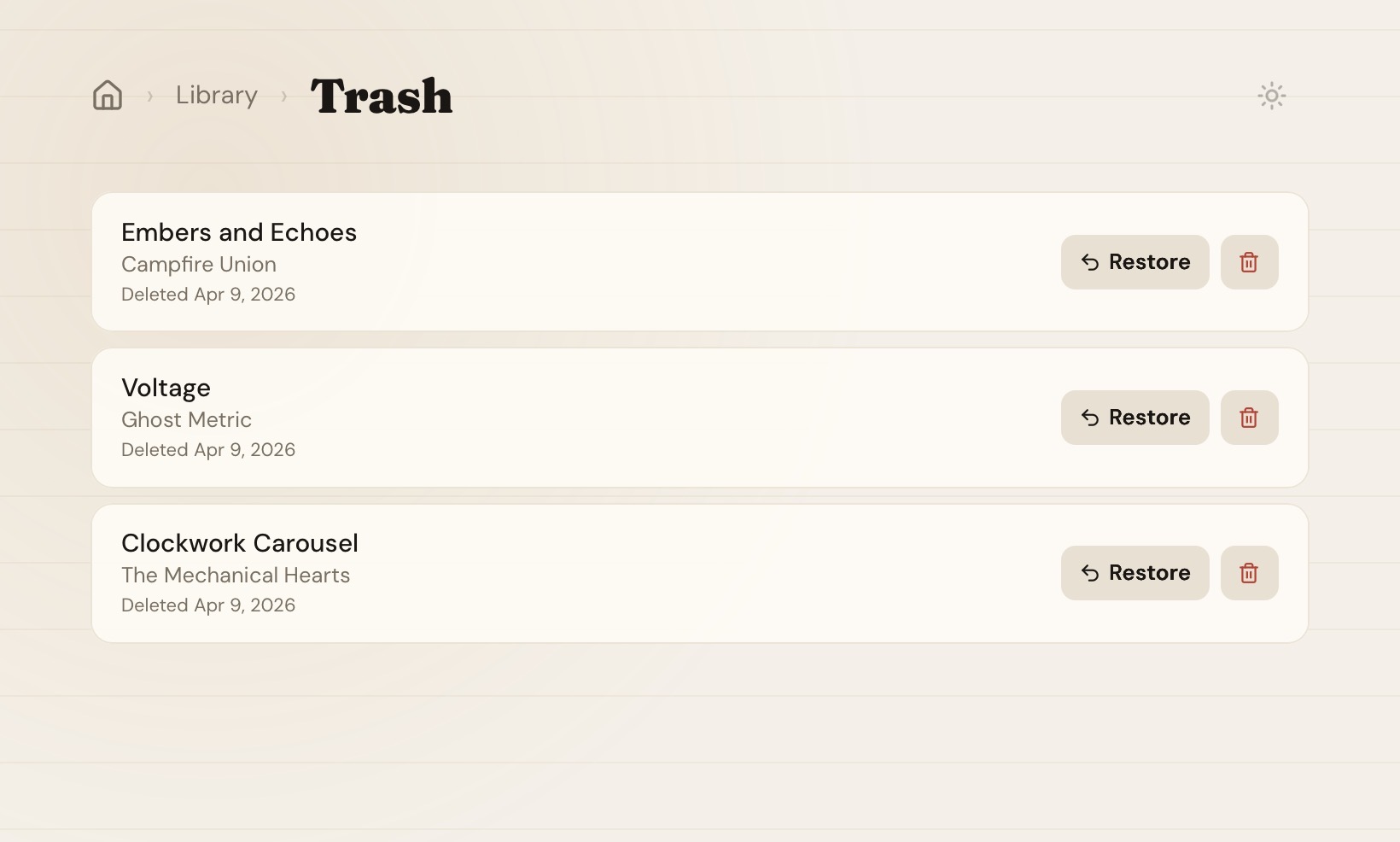
A safety net for stray taps.
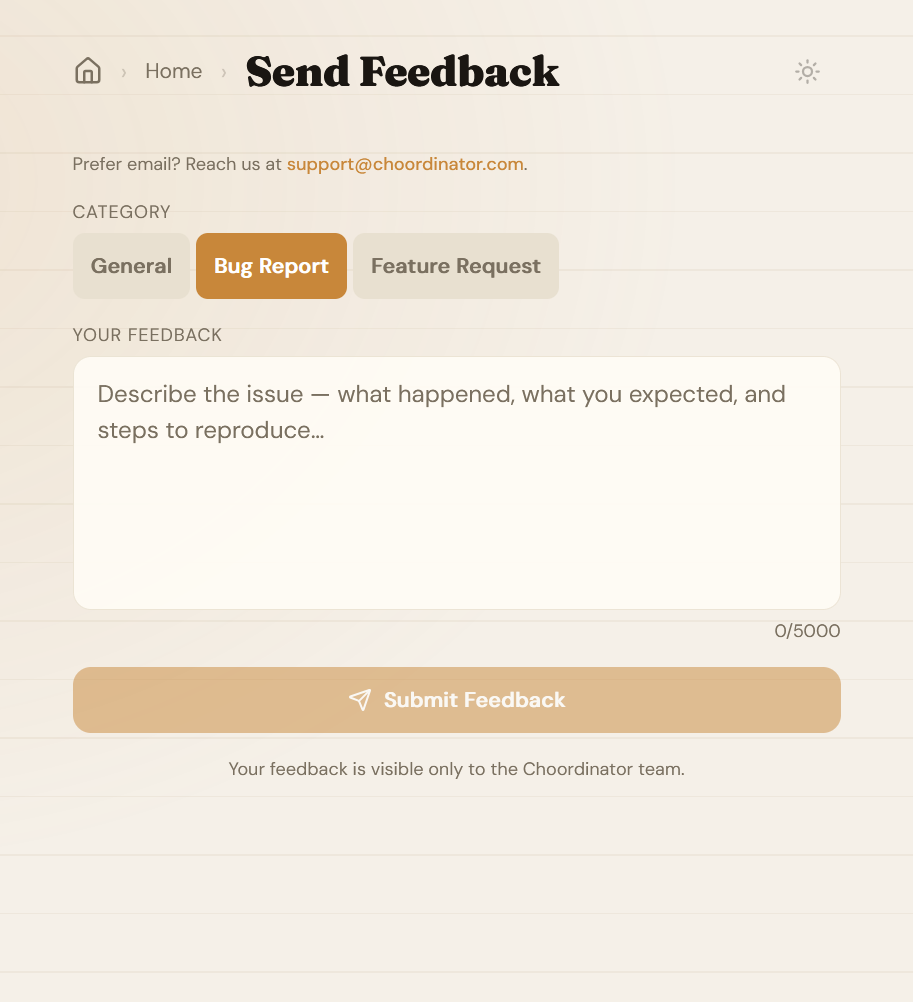
Help us make Choordinator better.
- Built-in feedback form — no email needed
- Categorize as General, Bug Report, or Feature Request
- Your feedback is private and visible only to the team
Get help
Email support@choordinator.com or send feedback. Questions, bug reports, and feature requests are all welcome.